

Kenya is one of the world’s most established mobile-money markets. Mobile payments are deeply integrated into everyday life, from shops and restaurants to transport, bills and person-to-person transactions. Kenya’s national financial inclusion strategy reports that 83% of adults had access to mobile money, while person-to-merchant payments represented roughly 30% of mobile-money transaction volumes. That makes Kenya highly digital in payment terms, but it also means that many payments are built around local mobile-money accounts and merchant identifiers. For a visitor holding digital assets, the challenge is not necessarily finding digital acceptance. It is connecting to the local system. Ownly Pay is designed to make that connection possible through supported payment infrastructure where available.
The short answer
Fund your Ownly wallet with supported stablecoins, choose a supported local payment method, review the Kenyan-shilling amount and confirm.
01 Prepare your wallet
02 Use a supported local payment method
03 Review and confirm
Mobile money is part of everyday life
Kenya’s digital-payment ecosystem is unusually mature. Central Bank of Kenya statistics showed more than 94 million registered mobile-money accounts by July 2026, alongside a large national agent network. Mobile money is used not only for transfers but also for merchant payments, bills and everyday purchases. For travelers, however, access to a local mobile-money ecosystem can require a local account, registration or compatible payment method. That is the gap Ownly Pay is designed to address where supported.
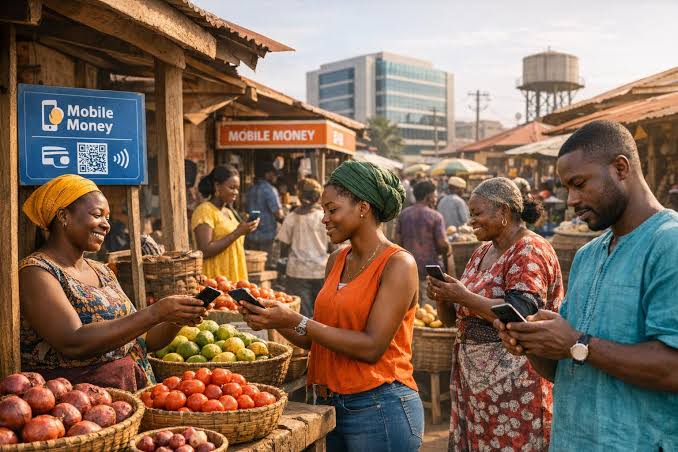
Fig. 01 — In Kenya, digital payment is often already the norm. The challenge is connecting to it.
Digital assets on your side. Local payment on theirs.
Pay in three steps
01
Fund before you need it
Keep supported stablecoins in your Ownly wallet before making your first local payment.
02
Use a supported merchant payment flow
At checkout, select or scan the local payment method supported by Ownly Pay. Check the amount in Kenyan shillings before proceeding.
03
Review and confirm
Confirm the merchant, amount and transaction details. Where supported, Ownly Pay handles the connection between your digital assets and the relevant local payment infrastructure.
Mobile money is strong. Cash still matters.
Kenya’s mobile-payment coverage is extensive, but cash remains practical for smaller vendors, informal commerce, transport and areas with limited connectivity. Do not assume every payment situation will be digital.

Common questions
Do I need a Kenyan mobile-money account?
Ownly Pay is designed to provide supported payment access without requiring the user to recreate every local financial setup, although eligibility and support depend on the specific payment flow.
Can I pay any mobile-money merchant?
No. Ownly Pay only works with supported payment methods and merchant flows.
What currency will I see?
Local transactions are generally priced in Kenyan shillings. Review the amount shown before confirming.
Should I carry cash?
Yes. Mobile money is highly established, but cash remains useful in some everyday situations.